
The trend move
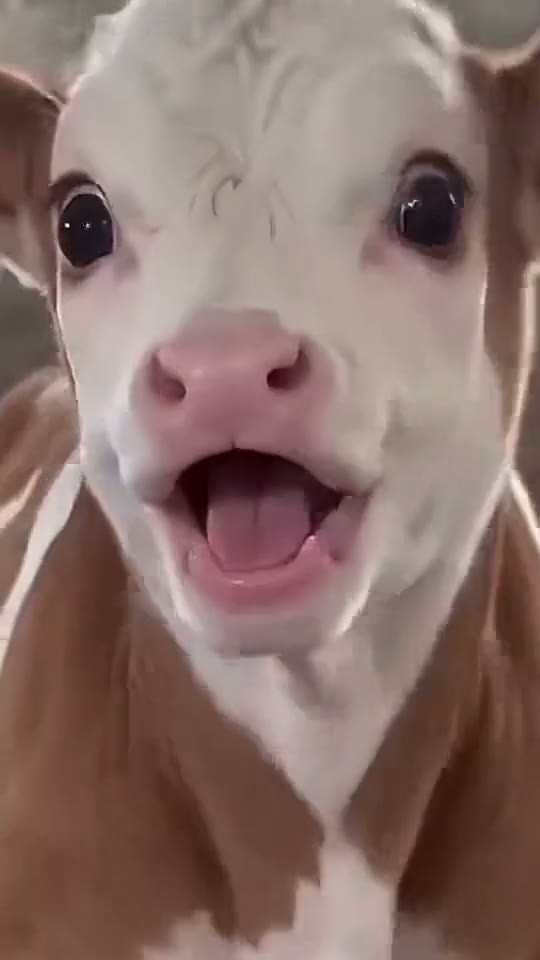
Animals copying a smug human face — the format this tool recreates
Your pet. That smug face.
Choose a move, bring your pet’s photo, and add the roast. One private video, US$4.99.
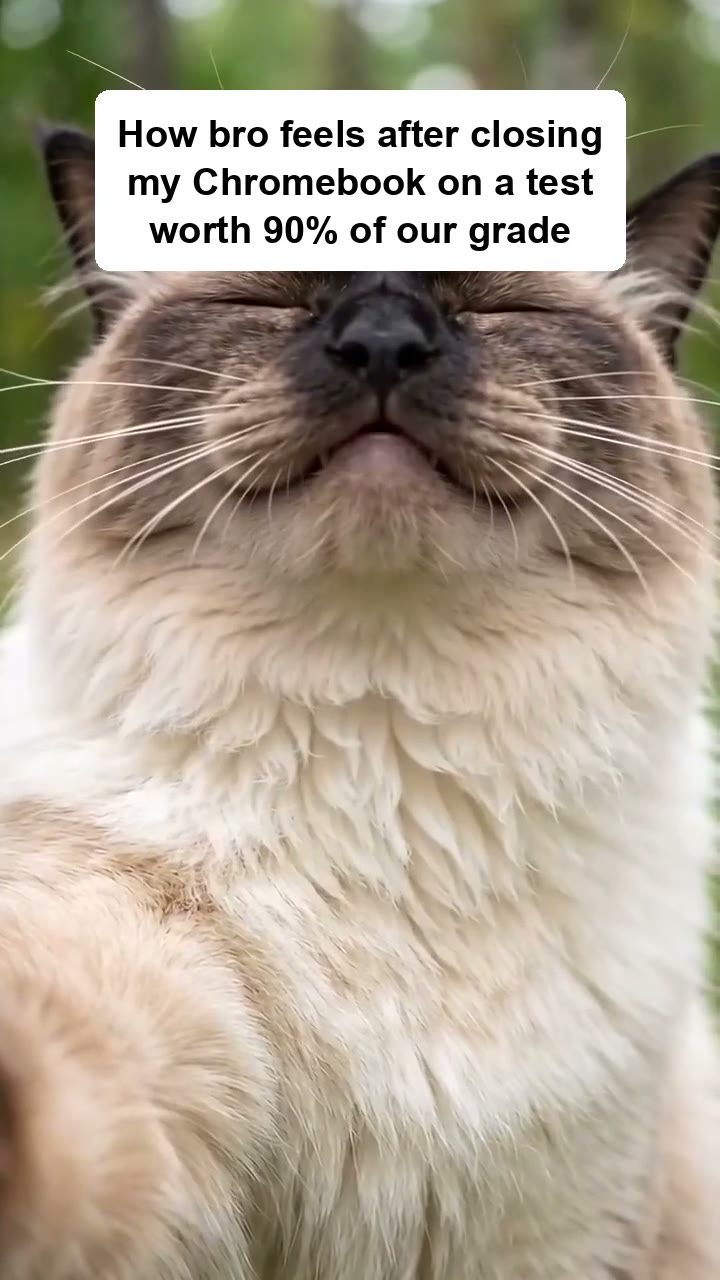
How bro feels after closing my Chromebook on a test worth 90% of our grade
Animals copying a smug human face — the format this tool recreates
Choose a clear, front-facing close-up. Keep the eyes, ears and muzzle visible so the expression reads straight away.
Wide eyes and an “aah” → chin up, eyes shut, smug smile → back to the start. Let that satisfied smile hold for a beat.
A fixed camera and a small, natural neck movement keep the face in charge of the joke.
One white caption box near the top gives your joke room to breathe while the face does the rest.
Your roast is saved with the picture. There is no separate text to add when you post.
The smile rolls back into the first beat, so the joke keeps going without an awkward restart.
No account or subscription. Pay US$4.99 once for your pet’s video; captions and caption ideas are free to try.
Choose an expression and tap Make one like this to bring your pet into the joke.
Upload one clear cat or dog photo. Your caption appears on the still straight away.
Write your roast or try a caption idea. Pay US$4.99 once, then save the finished video and add the trending sound before posting.
The joke is the mismatch: a completely satisfied animal paired with a situation that absolutely does not deserve confidence.
A closed Chromebook or a GPA calculation can tell a whole story to your classmates. The best caption needs no explanation in your group chat.
Sometimes a joke lets you name what you feel: coping, a petty win, or confidence you have not earned yet. Seeing it in words can make it easier to share.
Keep the setup short and the detail specific. Let the wide-eyed “aah” turn into a chin-up, eyes-shut smile, then let the loop start the joke again.
Meet a companion with a home of their own. Tell them about the exam, the awkward date or the tiny win. Come back tomorrow and spend a little time together.
It is a vertical close-up of an animal going from wide eyes and an open-mouth “aah” to a chin-up, eyes-shut smug smile, then back again. A white roast caption box on top sets up the joke. Your pet photo gives it a familiar face.
Captions and caption ideas are free to try. Making your pet’s video costs US$4.99 once, with no subscription or sign-up. If it is marked Opening soon, you can preview your photo and try captions, but checkout is not available yet.
Yes. Your saved video is silent. Open it in TikTok or CapCut, tap Add sound and choose the trend sound before posting. Using the sound in TikTok also puts your post on that sound’s page. We do not copy songs or include someone else’s recording.
Yes. Choose a move, then upload one clear photo of a real cat or dog, with no people. A front-facing face works best. You can see your caption on the still straight away; it moves after the video is made. If your video cannot be made, request a refund here. Requests are reviewed before an approved refund goes back to your original payment method.
Your captioned video is made on your device. If you use Get captions, what you type is sent only to write your ideas and is not kept. Text you edit yourself stays on your device. For an own-photo video, your photo and chosen move are sent to make your private video. The video is kept for 30 days; your photo follows our 90-day photo policy. Save your private recovery link before leaving; it restores the video, not an unsaved caption.
You get a silent, roughly 10-second vertical video at 720 × 1280, with your caption included. Most supported browsers save MP4; some save WebM. Post it to TikTok, Reels or Shorts, or send it to a friend. If your posting app cannot open WebM, try saving in another browser or convert it in your video editor.
Yes. Try our AI pet dance generator for a dance made from your own cat or dog photo. It is a separate paid tool.
No. Make your video as a guest and pay US$4.99 once. Save your private recovery link to come back to it; anyone with that link can open your videos, so keep it private.
About 10 seconds, looping seamlessly. Your caption is included, and the video is silent so you can add the trending sound.
Yes. Use the AI talking photo maker to turn your own photo and words into a short vertical video with captions. Sign in for one free video a day.