
AI companion voice chat: talk, share photos, pick a voice
Chat happens in your companion's room. Type a message, or use speech input in a supported browser. Written answers, human speech and animal sounds are separate capabilities.
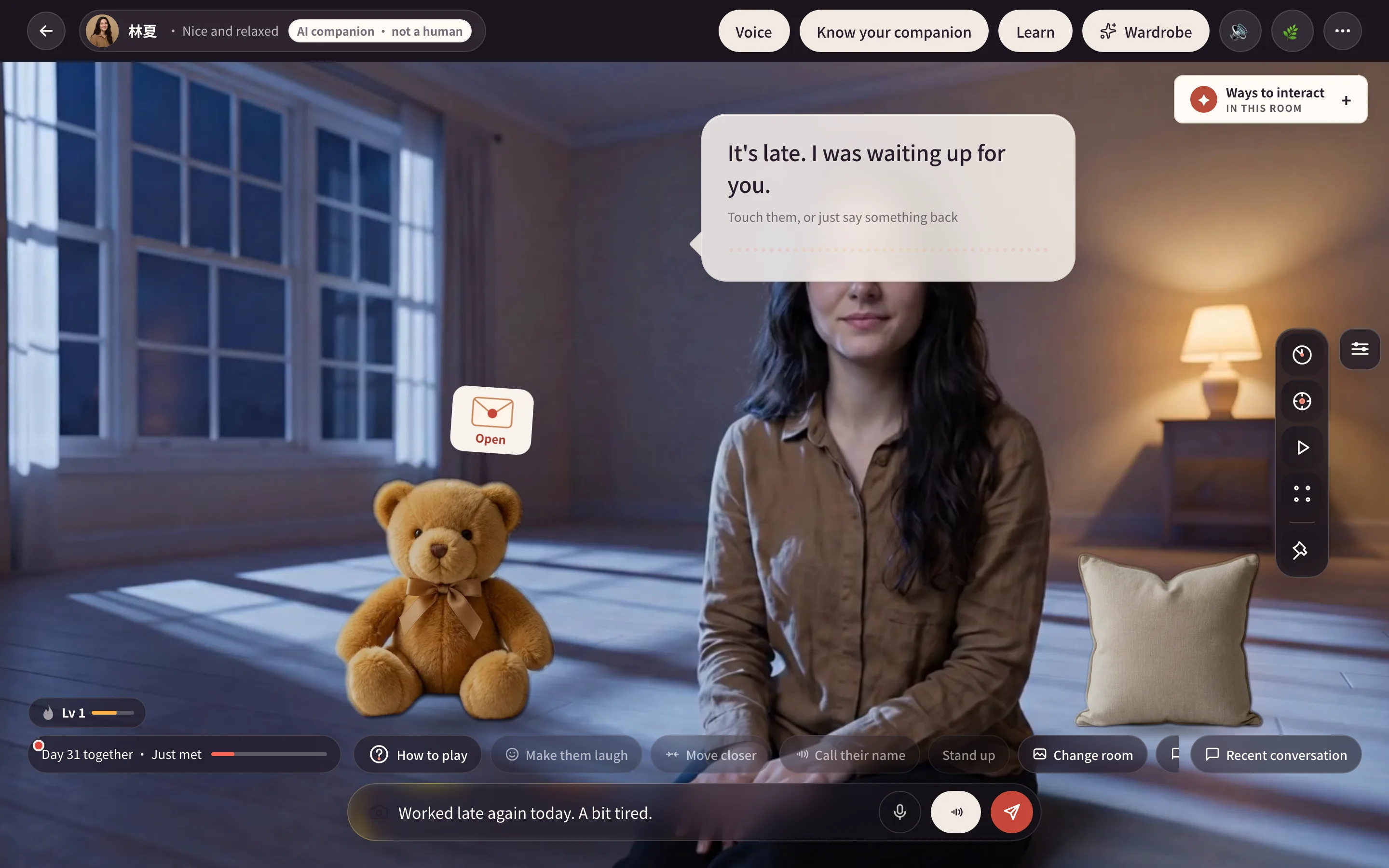
Type and review conversations
- Open the room and write in the bottom message box.
- Send the message and wait for the reply bubble.
- Open Recent conversation to reread messages or continue in its panel.
Opening suggestions can help you start. A human companion speaks when sound is enabled, a voice is available and the daily allowance permits it. Cats and dogs respond through text and available movements; their animal sounds come with the moves they actually make rather than reading the reply aloud.
Microphone and continuous voice
Hold the microphone while speaking, then release it to send recognized text. Allow microphone access when your browser asks. If speech recognition is unavailable, the microphone may be absent; typing still works.
The continuous voice button lets you talk without holding the microphone. Follow the listening and responding indicators, tap to interrupt and end the session when finished. Switching away from the tab stops it. Spoken replies also depend on the room's sound setting, voice availability and daily allowance.
Show a photo
Use the camera beside the message box to choose a photo, then follow the steps on screen. Your companion can discuss its contents. Photo conversations have a separate daily allowance; review any extra credit cost before continuing.
Chat photos and Studio identity photos serve different purposes. Creating a human companion also requires adult-photo screening and preparation checks.
Manage memories
Open Memories to add names, habits or important dates and remove memories you no longer want kept. Things discussed in chat may shape later conversations, but every sentence is not guaranteed to be kept permanently or mentioned the next day.
Choose a human companion's voice
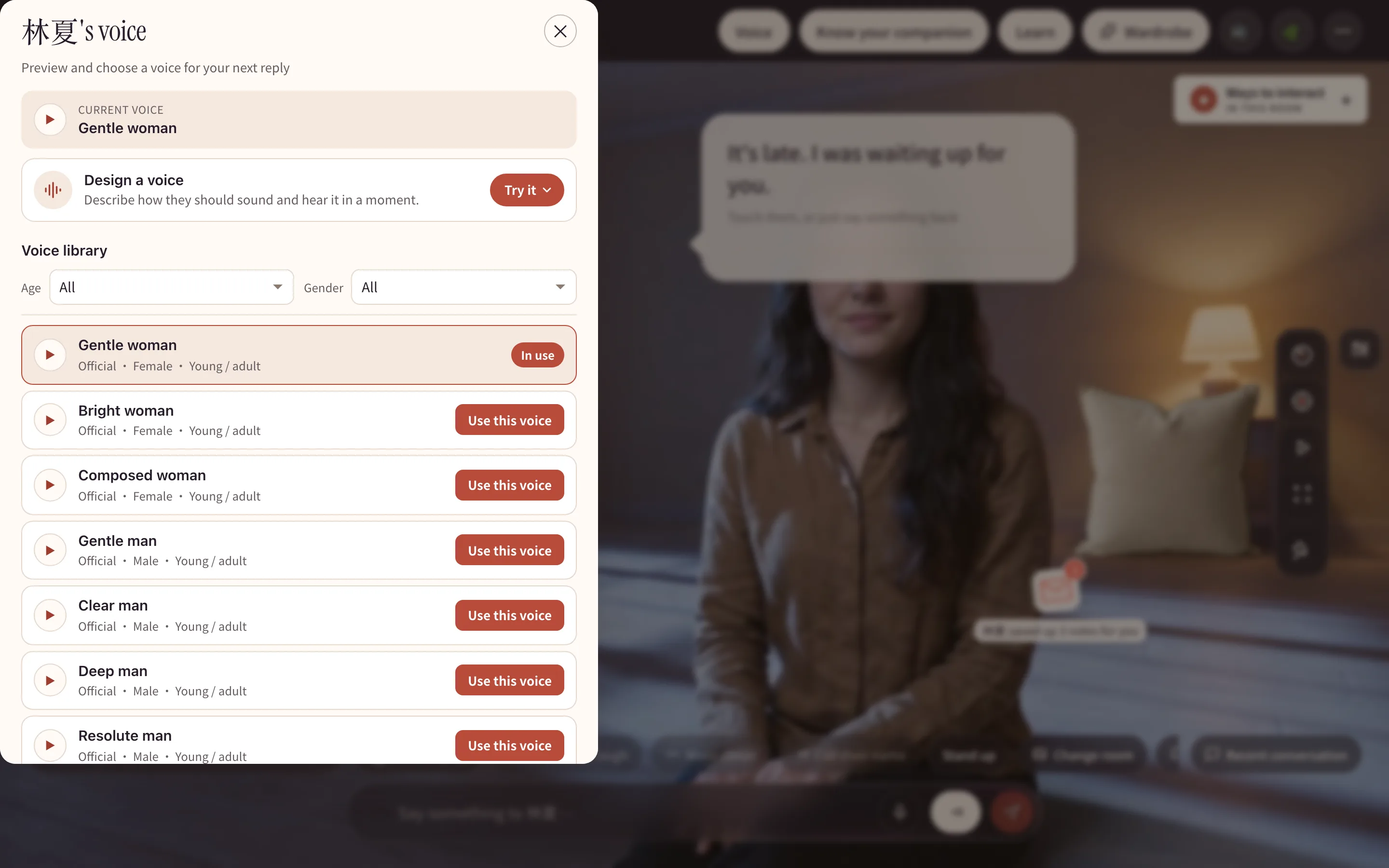
Open Voice, filter the list, listen and choose a voice available to your account. Cats and dogs do not have this human voice panel.
For a custom voice, use the panel or My voices to describe tone, pace or accent. Read the price and confirmation first. Making a voice from a real recording requires rights and explicit authorization. Custom voice charges and refunds follow that operation's status, separately from ordinary chat.
Daily allowances
Text conversations, spoken answers and photos have separate allowances. When speech is used up, you can still read replies. Follow the options shown when deeper conversation needs extra credits. Current memberships are listed on Pricing.
Related guides
- Your first day: creation and room readiness.
- Touch and moves: interact while chatting.
- Daily tools: quiet company while you work.