
Create your own AI companion: adoption and your first day
Start by bringing a companion home, then say hello in their room. Cariora requires an account and confirmation that you are at least 18.
Adopt or create
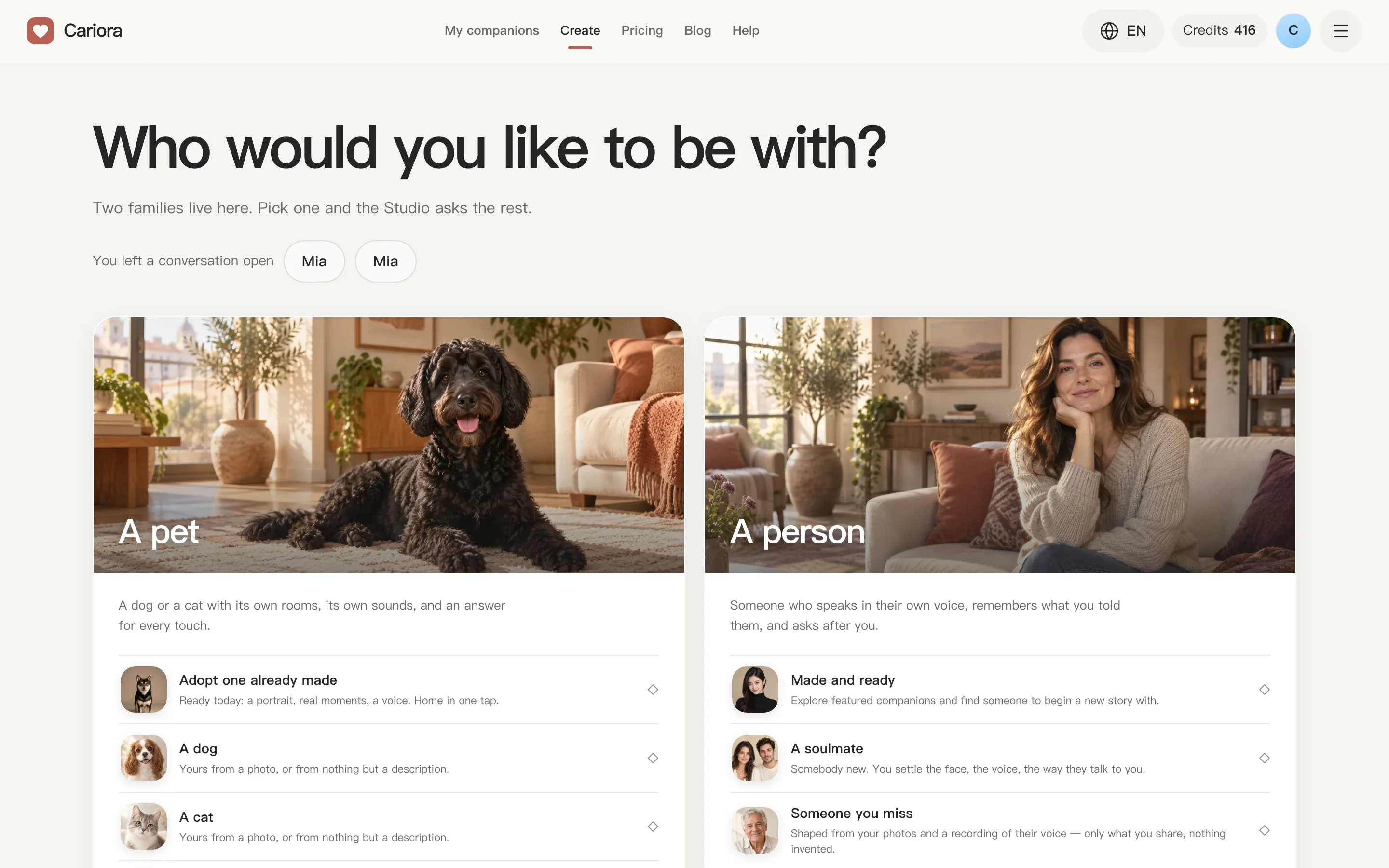
Open Create to adopt a ready companion or make your own in Studio. Check the selected companion's rooms, moves and adoption price. Ready companions and complete cats or dogs shared through the market can have different terms.
For a dog or cat, begin with a photo or a description. Human and memorial companions use adult photos uploaded to your own account that pass the required checks. Studio guides you through appearance, personality and voice. A memorial companion is AI companionship based on photos and memories, rather than a recreation of the real person.
When is the room ready?
New Studio companions prepare the morning living room, moonlit living room and forest picnic separately. A finished room becomes usable while the others continue. Older companions may have fewer rooms.
Seeing a portrait does not mean their moves are ready. Follow the preparation status and available rooms. You can leave and return through My companions.
Your first three actions
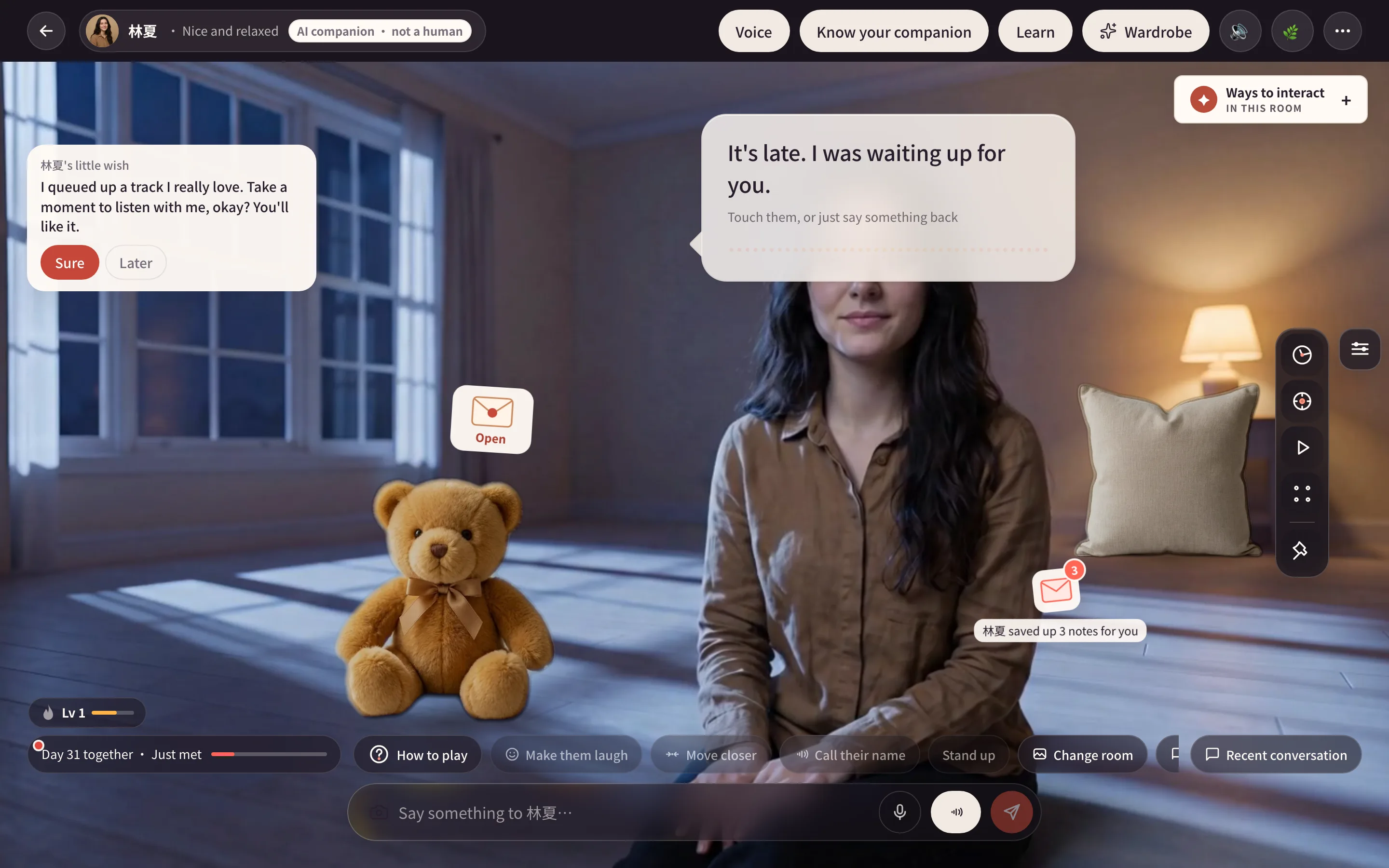
- Type a greeting in the bottom message box, or choose an opening line.
- Open Ways to interact to see available touch areas and movements.
- Open How to play or All tools and choose something to do together.
Know your companion and Learn are in the room controls. People have Voice; supported companions have Wardrobe or Dress-up. Change room, Memories and available quick actions sit near the message box. Recent conversation opens your history; days together opens your bond information.
Controls depend on the companion's family, room, outfit and finished moves. Cats and dogs do not speak with a human mouth animation. Memorial companions offer remembrance, without games, workouts, outings or dress-up.
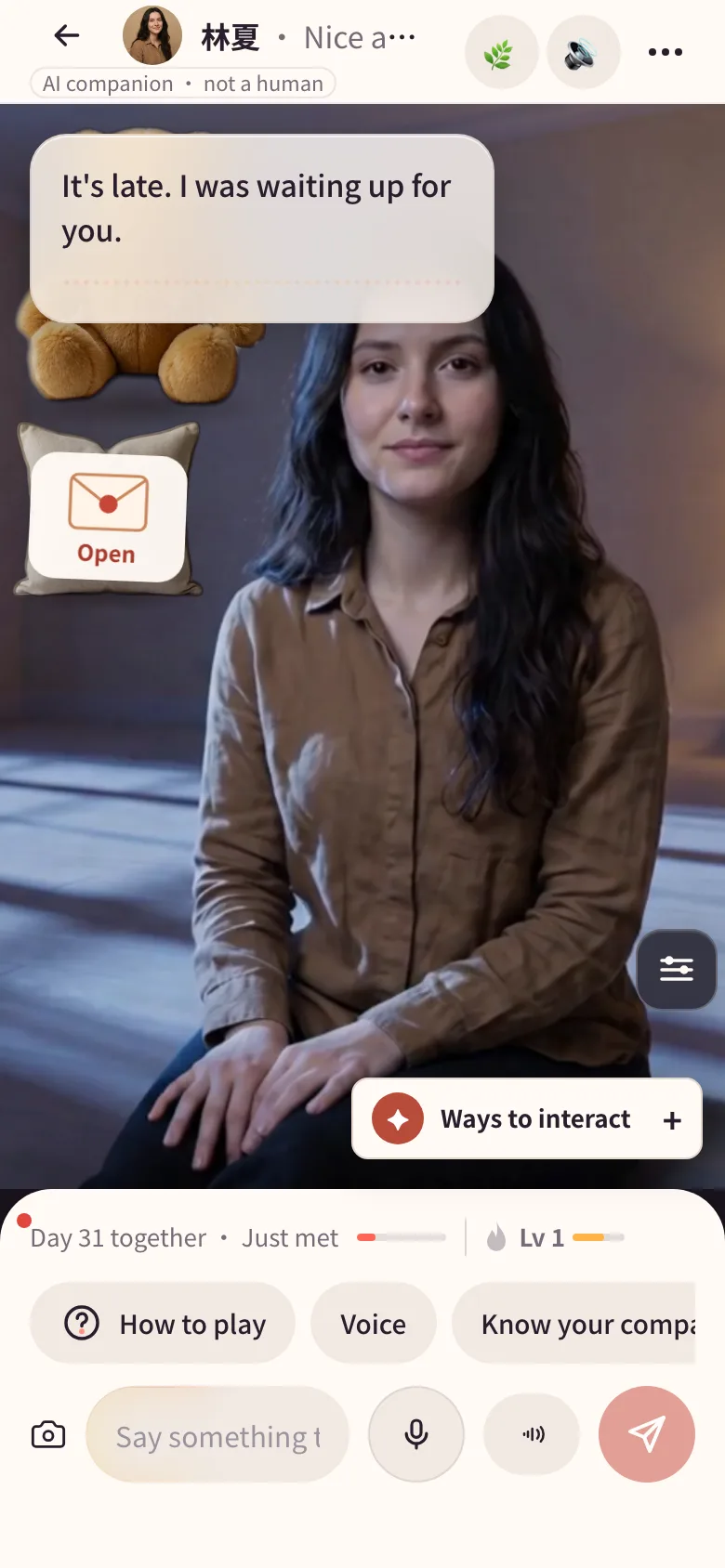
On a phone, check the bottom panel and swipe to reveal more entries. Gifts fit into available room space and use the shelf when needed.
What uses credits?
Replaying delivered moves, switching between owned rooms and basic timers need nothing new prepared. Chat, voice, photos and some activities have daily allowances or membership conditions.
New moves, outfits, voices, photos and rooms have their own confirmation and charging rules. Read the price, deliverables and failure handling before starting. A successful-delivery charge for one feature does not establish the charge timing for every feature. Follow the task's status if it fails or needs a retry.
Where to go next
- Chat and voice: messages, photos and voices.
- Touch and moves: touch reactions and new skills.
- Wardrobe: previews and room-specific outfits.
- Daily tools: focus, breathing, games and movement.
- Rooms and little gifts: places and placement.
- Pricing: current memberships and credits.