
Decorate your virtual pet's room: places and little gifts
Rooms are part of your companion's actual footage. The room panel tells you what they have; older companions do not necessarily own the morning room, moonlit room and forest picnic.
Switch owned rooms
Open Change room, check the current and prepared rooms, then select a destination. Switching owned rooms uses no credits.
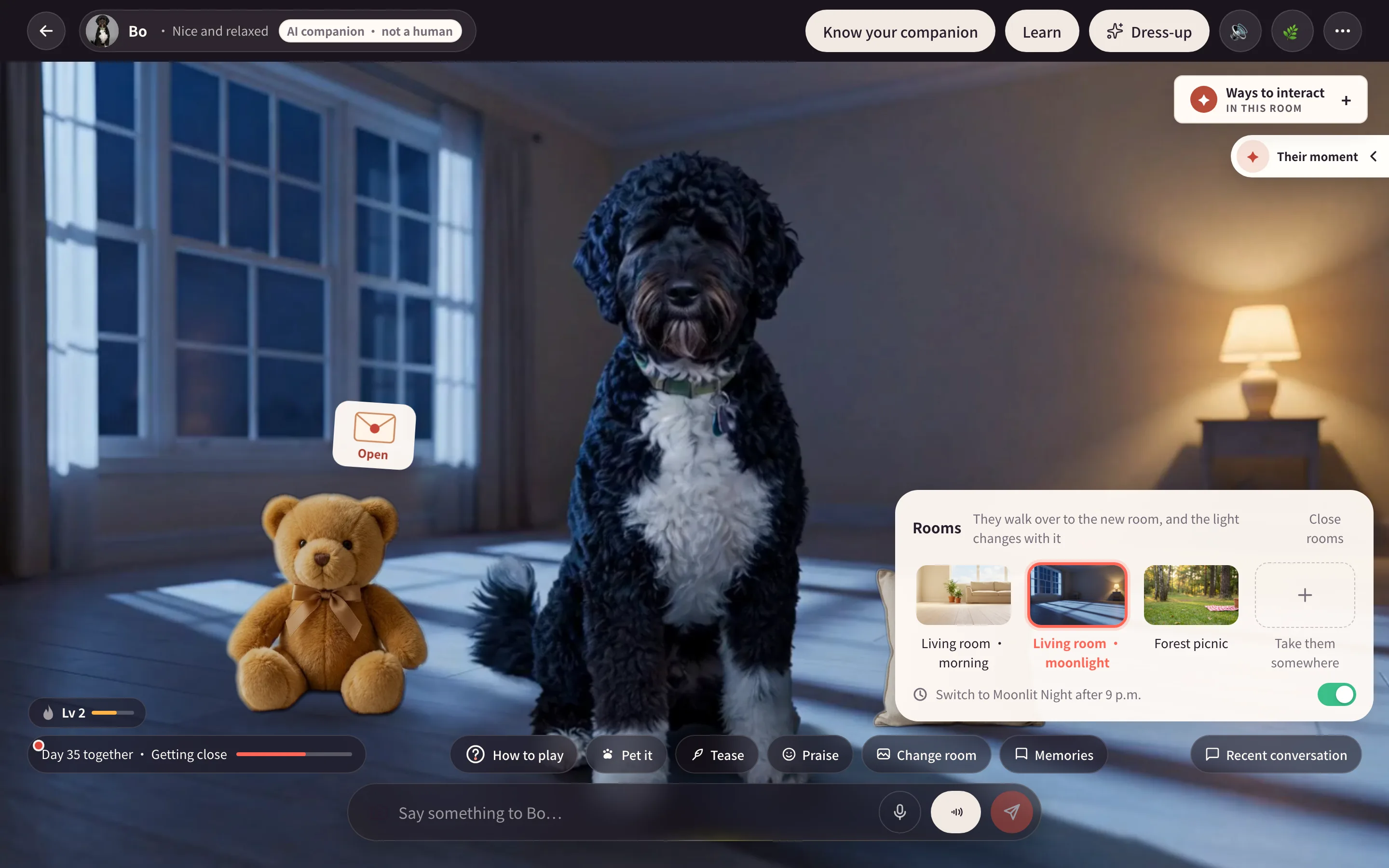
Walking out and back in needs the matching moves in both rooms, already loaded. Every switch cannot be promised as a full walking transition. Follow loading or preparation messages when a room cannot be entered yet.
Automatic night switching can move to an owned night room after 9 p.m.; turn it off if preferred. Outfits are room-specific too, so a look missing there returns to the original.
Add a living space
Missing rooms may appear as preparation offers. Before confirming, review the room, included movements, price and failure terms. It becomes a place to spend time together once ready.
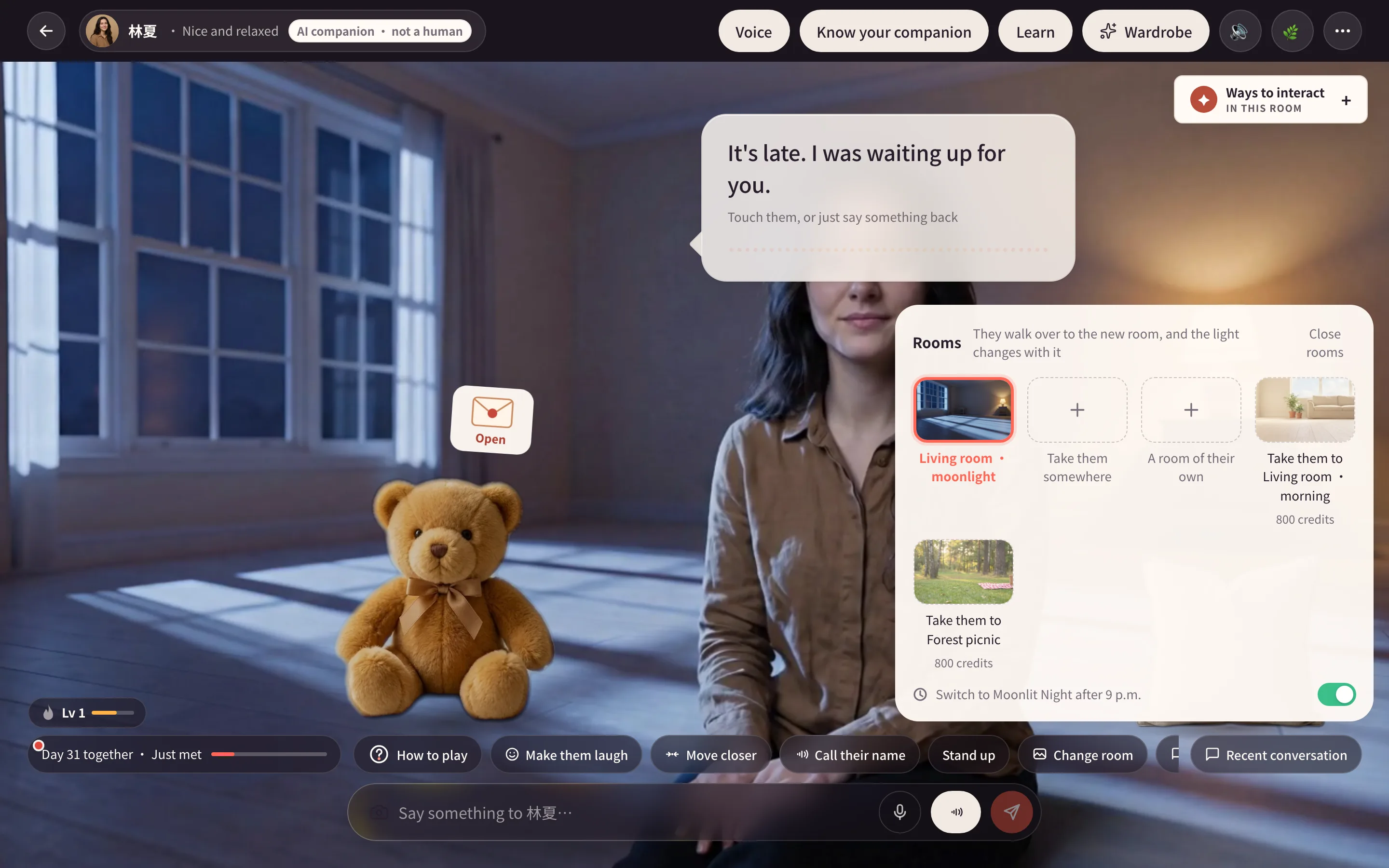
Human speech movements, pet reactions and memorial behavior differ. Use the companion's delivery list. New Studio rooms prepare separately, with finished ones available first; older companions keep their actual room set.
A travel photo or a private room?
Take them somewhere accepts a place description or location photo and creates a picture of the companion there. It does not automatically become an interactive room. Review cost and progress rather than expecting completion in one minute.
A fourth room prepares a new living space. Describe a quiet, stable setting and check the supported offer and delivery details.
The Outing tool is another activity: ordinary companions with departure and return footage can leave for a while. That is separate from a travel photo. Memorial companions have no outings.
Place Little gifts freely
- Open Little gifts from All tools.
- Give an available item to place it in the current room.
- Drag it in the room; select it to adjust size or put it away.
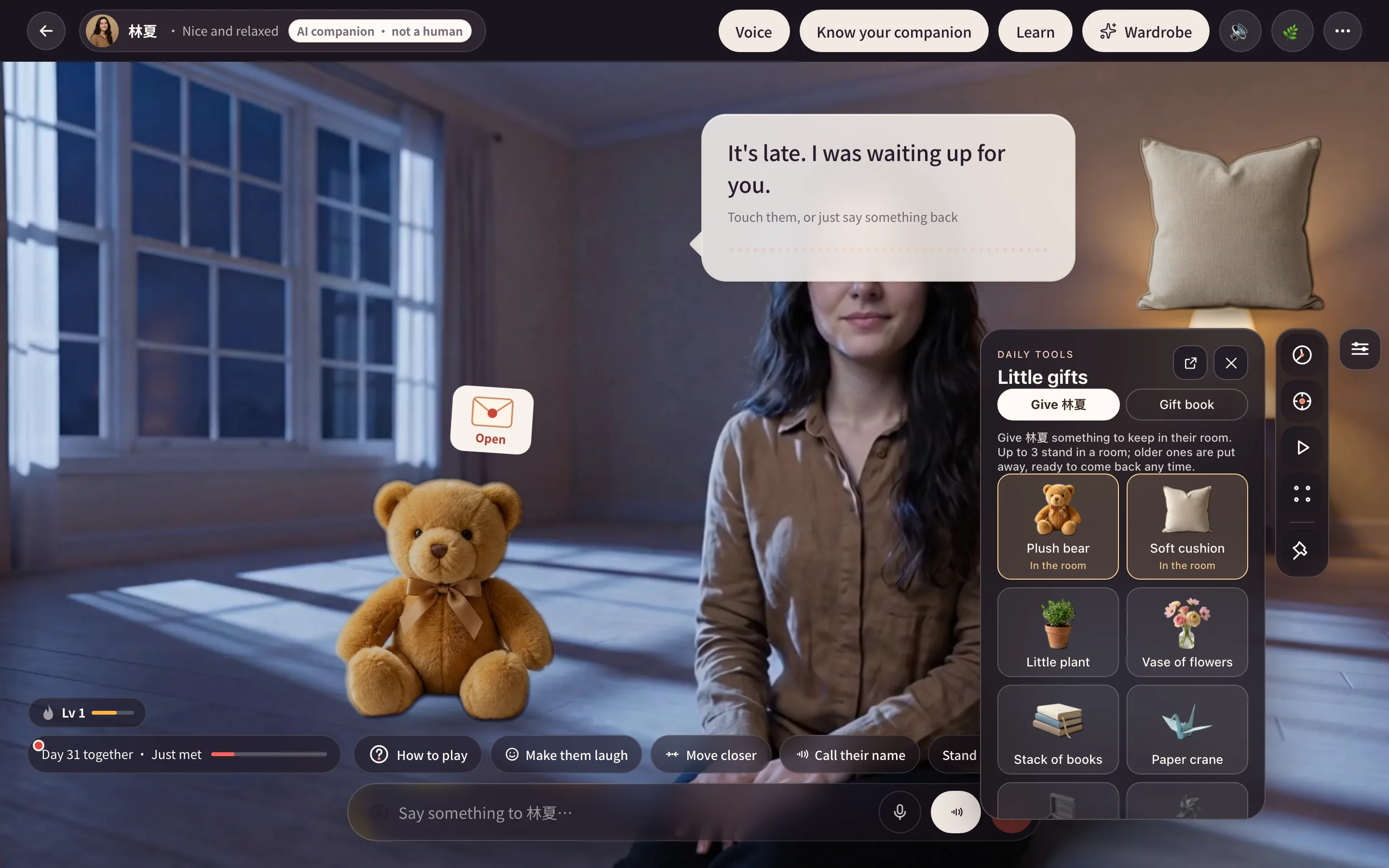
Gifts avoid the companion, controls and other objects. Watch the drop preview: blocked locations cannot be used. Releasing keeps a valid placement or returns the item. Enlarging is disabled when it cannot fit safely.
Both desktop and phone layouts try available room space. Gifts use the shelf when they cannot fit or the room's outline cannot be read, rather than always using it on phones. A room holds three items; another gift stores the oldest, which can be placed again.
Gifts depend on family, bond and membership conditions. Memorial gifts favor flowers and candles. Placing existing gifts uses no credits and does not make the companion pick up or use them.
Related guides
- Wardrobe: room-specific looks.
- Touch and moves: room-specific interactions.
- Daily tools: outings, walks and photo board.
- Your first day and Pricing.